
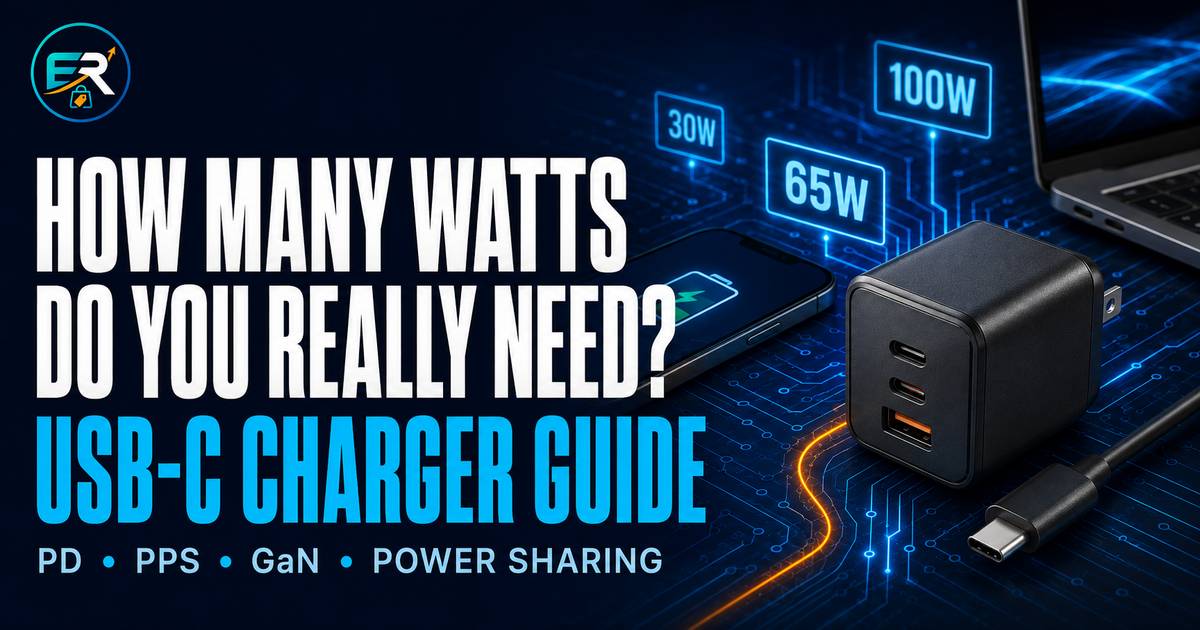
A 100-watt charger is not automatically five times better than a 20-watt charger. Your device only takes the power it can negotiate, the cable may set a lower ceiling, and a multi-port charger may divide its advertised wattage when several devices are connected.
The right charger is therefore not the one with the biggest number. It is the one whose charging protocol, usable port output, cable, and safety credentials match the devices you actually own.
Last reviewed: August 29, 2026

What actually controls USB-C charging speed?
Think of charging as a negotiated system, not a one-way blast of power. A compatible charger advertises the power profiles it can supply. The device asks for a profile it supports. The cable must be rated for the required current and power. The charger may then adjust its allocation if another port is used. Finally, battery level and temperature can cause the device to slow down.

1. The device decides what it will accept
A standards-compliant USB Power Delivery charger does not force its full advertised wattage into a smaller device. The phone, tablet, or laptop requests a supported voltage and current combination. A 100W charger can therefore charge a 20W phone, but it will not turn that phone into a 100W device.
2. The charger must offer the right protocol and profile
Matching or exceeding the device's wattage is only part of the job. The charger also needs the protocol and power profile the device expects. Two chargers can both say “45W” while only one supports the device's fastest charging mode.
3. The cable can set the ceiling
A cable that fits can still be the wrong cable. The USB-IF's current certified cable labeling distinguishes 60W and 240W USB-C-to-USB-C power ratings. Data capability is a separate specification, so a cable's high charging rating does not automatically mean fast file transfers or video support.
4. Heat and battery level change the result
Fast charging is usually fastest when the battery is lower. As the battery fills—or if the device becomes too warm—the charging system may reduce power to manage heat and battery health. This is normal behavior and is one reason a watt meter will not show one constant number throughout a full charge.
How many watts do you really need?
The best answer comes from the support page or specifications for your exact device model. If you need a practical starting point before checking those details, use this table.
| What you charge | Practical starting point | What to verify |
|---|---|---|
| One phone | 30W USB-C PD charger | Whether the phone needs PPS or another specific profile for its fastest mode |
| Supported Galaxy phone at its top wired speed | 45W PD charger with PPS | Exact phone support and the required 5A cable; not every Galaxy model accepts 45W |
| Tablet | 30–45W USB-C PD | Model-specific maximum input and whether a charger is included |
| Thin-and-light laptop | 65W USB-C PD | Original adapter rating and whether every USB-C port accepts charging |
| Laptop and phone together | 100W multi-port charger | Per-port allocation with both devices connected—for example, 65W + 30W |
| High-power USB-C laptop | 140W or the manufacturer's stated requirement | USB PD 3.1 support, the correct port, and a suitably rated cable |
PD, PPS, and GaN—in plain language
USB Power Delivery (PD)
USB PD is the common power-negotiation standard used by many phones, tablets, laptops, docks, and other USB-C devices. USB PD 3.1 expanded the standard to as much as 240W through suitable equipment, adding higher fixed voltage levels for 140W, 180W, and 240W applications.
That “up to 240W” figure describes the standard's ceiling—not what every USB-C charger, cable, or device can deliver. All parts of the path must support the required level.
Programmable Power Supply (PPS)
PPS is an optional USB PD feature that allows the device and charger to adjust voltage and current in smaller steps. Compatible devices can use this more flexible control to manage charging efficiently. PPS is especially relevant when shopping for certain Samsung devices: Samsung's Philippine product information for its 45W adapter specifies compatible PD 3.0/Direct Charging equipment and a 5A cable for 45W charging.
Look for explicit PPS support and the needed voltage/current range in the specifications. A generic “PD charger” label alone does not prove that a product supports the PPS profile your device needs.
Gallium nitride (GaN)
GaN power components can help engineers build smaller, high-power-density chargers. That makes GaN useful when you want more power or more ports in a compact travel charger.
However, “GaN” describes a component technology—not the charger's overall quality. Protocol support, thermal design, protection circuits, build quality, and honest power allocation still matter. Independent charger testing has also found meaningful differences in sustained output and thermal behavior among products, so the GaN label should not be your only reason to buy.
Cable ratings and multi-port power sharing

Choose the cable by power requirement
- For devices at 60W or below: a certified 60W USB-C cable is normally the appropriate power class.
- For charging above 60W: use a certified cable marked for 240W, together with a charger and device that support the intended PD level.
- For video or fast data: check the cable's separate data-speed and display specifications. Wattage tells you very little about these features.
Read the multi-port allocation chart
“100W charger” may mean 100W from one specific port when used alone, or 100W shared across all ports. When a second cable is connected, the primary laptop port might drop to 65W, 60W, or another value defined by the product. Some chargers also pause for a moment while they redistribute power after a device is plugged in or removed.
Before buying, find the manufacturer's port-allocation table and check the exact combination you plan to use. If the listing only repeats “100W max” without explaining individual ports and multi-device modes, the specification is incomplete.
Is a higher-wattage charger safe?
With reputable, standards-compliant USB PD equipment, a higher maximum wattage is generally safe because the charger and device negotiate an acceptable power level. A 100W PD charger does not automatically push 100W into a 30W phone.
The bigger concern is quality: counterfeit marks, misleading specifications, poor insulation, weak thermal management, or missing protection features. UL has published warnings about USB chargers carrying counterfeit UL marks, noting that such products may not have been evaluated for fire, electric-shock, or injury risks.
Prefer products with a traceable model number, complete electrical ratings, verifiable certification, a real manufacturer support page, and a meaningful warranty. Extremely low prices and copied safety logos are not proof of compliance.
USB-C charger checklist for buyers in the Philippines
- List your devices. Record each exact model and the original adapter wattage or official fast-charge requirement.
- Confirm the protocol. Look for USB PD and, when your device needs it, PPS with the correct range.
- Check each port. Identify which USB-C port provides the highest output and what happens when other ports are occupied.
- Match the cable. Use the appropriate 60W or 240W certified power rating, and separately verify data/video needs.
- Check electrical input. For travel and local use, verify the charger's printed input rating—commonly 100–240V, 50/60Hz—and make sure the plug fits your outlet safely.
- Choose a traceable seller. Favor authorized or established local sellers that provide the exact model number, receipt, return window, and usable Philippine warranty support.
- Verify instead of trusting a logo. Search for the product in the certification body's official database when a certification is claimed. The USB-IF maintains a certified product search, but many legitimate products may use other compliance paths.
- Inspect on arrival. Stop using a charger that crackles, smells burnt, fits loosely, becomes abnormally hot, or repeatedly disconnects under a known-good setup.
DTI-BPS maintains the current list of products covered by mandatory Philippine certification. Ordinary standalone phone and laptop USB chargers are not plainly named in the current list, so do not assume that a PS or ICC mark is universally required for every USB-C charger. Product type and applicable rules can change; consult DTI-BPS when compliance status matters.
Common buying mistakes
- Buying by wattage alone: protocol and power profiles can matter as much as the headline number.
- Assuming USB-C means fast charging: the connector shape does not guarantee PD, PPS, video, or any particular speed.
- Reusing an unknown cable: the cable may limit power or lack the features needed for your device.
- Ignoring shared output: a multi-port charger may reduce the laptop port when another device is attached.
- Buying GaN as a quality badge: compact size is useful, but engineering and safety evidence still decide whether the charger is good.
- Expecting peak speed for the entire charge: battery level and temperature naturally change the charging rate.
The EverReach verdict
For most people, the sensible default is not the cheapest 20W cube or the biggest charger on the page. It is a documented USB PD charger with enough output for the main device, explicit PPS support if required, a clear multi-port allocation chart, the correct cable, and local warranty support.
A 30W model is a practical phone-first choice. A well-documented 65W model suits many USB-C laptops. A 100W multi-port model can replace several adapters if its two-device split still gives your laptop enough power. Move to 140W only when your exact laptop and cable can use it.
Before choosing a product, read our companion explainer: USB-C Is Only the Shape: What to Check Before You Buy.
Frequently asked questions
Can I use a 100W USB-C charger with a 25W phone?
Generally, yes—if both are reputable and standards-compliant. The phone requests a supported power level rather than accepting the charger's full 100W. You may not get the phone's fastest mode unless the charger also supports the required protocol, such as a particular PPS profile.
Will a 240W cable charge my phone faster than a 60W cable?
Not if the phone and charger already operate below 60W. The 240W cable provides a higher power ceiling; it does not make a lower-power device request more electricity.
Do I need GaN?
No. GaN is most useful when compact size, higher wattage, or multiple ports matter. A well-made conventional charger with the correct protocols can be an equally valid choice.
Why does my 100W charger give my laptop only 65W?
The 100W rating may apply only to one port used by itself. Connecting another device can activate a shared-output mode. Check the charger's port-allocation chart and make sure you are using its highest-output port and a suitable cable.
Why does fast charging slow down near a full battery?
Devices commonly reduce charging power as the battery fills or temperature rises. Peak wattage is not normally sustained from zero to 100 percent.
Sources and further reading
- USB-IF: USB Power Delivery — PD 3.1 power levels and 240W ceiling.
- USB-IF: USB Type-C cable and connector — certified 60W and 240W cable labeling.
- USB-IF Certified Product Search.
- Apple Support: Fast charge your iPhone — model-specific adapter requirements and temperature considerations.
- Apple Support: Fast charge your MacBook Air or MacBook Pro — model-specific charger and cable combinations.
- Samsung Philippines: 45W Power Adapter — compatibility and 5A cable requirements.
- Anker Support: 100W three-port charger FAQ — manufacturer example of port allocation and power redistribution.
- Belkin Support: 65W Dual USB-C Wall Charger — manufacturer example of multi-port power splitting and PPS support.
- Tom's Hardware: Laboratory testing of 20 USB chargers — independent observations on output consistency and thermal behavior.
- PCWorld: USB-C charging explained — device, charger, and cable matching.
- UL Solutions: Warning about counterfeit UL marks on USB chargers.
- DTI-BPS: Products under mandatory certification.
Editorial disclosure: EverReach may earn a commission from qualifying purchases made through affiliate links, at no extra cost to you. Affiliate relationships do not determine our conclusions. This guide explains specifications and buying criteria; no specific charger model is recommended here without a separate model-level review of documentation, independent evidence, seller support, and current pricing.