Research reviewed: October 14, 2026. Rechargeable-fan battery life varies with speed, oscillation, battery age, ambient temperature and charging conditions. Treat manufacturer runtime figures as test-condition results, not guaranteed everyday runtime.
Rechargeable fans are especially useful in the Philippines because they can keep air moving during brownouts without needing a separate power station.
But rechargeable-fan listings can be confusing.
You may see claims such as:
- “18 hours battery life”;
- “22 hours runtime”;
- “33 hours maximum”; or
- “all-night use.”
The important question is:
At what fan speed?
The quick answer: Buy a rechargeable fan based on the runtime at the speed you expect to use, not the largest runtime printed on the box. Maximum battery-life claims are often measured at the lowest speed with oscillation and other features turned off.
Why the “maximum runtime” can be misleading
A rechargeable fan uses much less power at low speed than at maximum speed.
Oscillation, displays, lights, Wi-Fi and other features can also increase consumption.
Xiaomi provides a very clear manufacturer example. Its Mi Smart Standing Fan Pro has a built-in 33.6Wh lithium-ion battery and is rated for:
- up to 33 hours at speed setting 1 with no oscillation; but
- only about 2.3 hours at speed setting 4 with oscillation.
That is a dramatic difference from the same battery in the same fan.
Xiaomi Philippines also states that its Rechargeable Mini Fan can run for 18.5 hours at speed setting 1. Again, the headline runtime is tied to a specific low-speed condition.
This does not mean those figures are misleading when the test condition is disclosed. It means the buyer needs to read the footnote.
The first question to ask: how long will it run at medium or high speed?
Before comparing two rechargeable fans, look for a runtime table that shows more than one speed.
Ideally, you want:
- low-speed runtime;
- medium-speed runtime;
- high-speed runtime;
- runtime with oscillation; and
- runtime with lights or other features enabled, if applicable.
If the product page shows only a single “up to” figure, assume that it is a best-case figure until the manufacturer states otherwise.
Battery capacity: mAh alone does not tell the whole story
Many rechargeable fans advertise battery capacity in mAh.
That number can be useful, but it cannot be compared fairly across products unless the battery voltage is also known.
For energy comparisons, watt-hours (Wh) are more useful:
Wh = battery voltage × amp-hours
Example: 10,000mAh = 10Ah. At 3.7V, that is about 37Wh. At 7.4V, 10Ah would be about 74Wh.
So two products that both say “10,000mAh” can contain very different amounts of energy if their battery voltages differ.
If a manufacturer publishes the battery capacity directly in Wh, that is usually easier to compare.
A rough runtime calculation
If you know the battery energy in Wh and the fan’s power consumption at a particular speed, you can make a rough estimate:
Ideal runtime (hours) ≈ battery Wh ÷ fan watts
Real runtime will normally be lower because of conversion losses, battery-management reserve, motor efficiency and changing power draw.
For example, imagine a fan with a 40Wh battery:
| Fan power at that speed | Ideal mathematical runtime |
|---|---|
| 2W | 20 hours |
| 4W | 10 hours |
| 8W | 5 hours |
| 12W | 3.3 hours |
This explains why a low-speed marketing figure can be several times longer than the high-speed runtime.
Think in terms of your brownout scenario
Do not start with battery size.
Start with the outage you want the fan to survive.
| Your situation | What matters most |
|---|---|
| 1–2 hour brownouts | Almost any decent rechargeable fan may be enough; comfort and airflow matter more than maximum battery size |
| 4–6 hour outages | Check medium/high-speed runtime, not the low-speed headline |
| All-night brownouts | Look for verified 8–10 hour runtime at the speed you can actually sleep with |
| Multi-day outages | Recharge method becomes as important as battery size |
| Travel / field use | Weight, USB-C charging, power-bank compatibility and replaceability matter more |
If your goal is an eight-hour sleeping period, a fan advertised for 20 hours at barely perceptible speed may be less useful than a fan that can reliably deliver eight hours at a stronger setting.
Airflow matters as much as battery life
A rechargeable fan is useful only if the airflow is strong enough for your intended distance and room.
Unfortunately, portable-fan listings are not always consistent about publishing airflow in standardized units.
When official airflow figures are available, useful specifications can include:
- air volume in m³/h or m³/min;
- air velocity in m/s;
- maximum throw distance;
- fan blade size; and
- noise level at a stated speed.
Xiaomi’s Smart Desktop Air Circulation Fan, for example, publishes a maximum airflow of 1,180m³/h and a 10m circulation range, while clearly tying its low noise and battery-life examples to speed level 1.
That is the type of disclosure buyers should look for: not just “powerful wind,” but measurable performance and the speed used for the claim.
Oscillation costs battery life
Oscillation uses another motor, so it normally increases power consumption.
The difference can be easy to miss because the advertised runtime is often measured with oscillation turned off.
If you plan to use the fan across a bed, dining table or room with several people, oscillation may be essential. Look for runtime under that condition if the manufacturer publishes it.
USB-C charging can make a rechargeable fan much more useful
A rechargeable fan that accepts ordinary USB-C power can be easier to keep running during a long outage.
Depending on the product, you may be able to recharge or power it from:
- a USB-C wall charger;
- a power bank;
- a portable power station;
- a vehicle USB-C charger; or
- a solar-charged power bank or station.
But check the required voltage and protocol.
Xiaomi’s Mijia Smart Standing Fan Pro Slim, for example, supports power banks only when they provide compatible QC or USB PD output of at least 18W and include the required 9V or 12V output. Xiaomi warns that an incompatible or underpowered power bank can limit fan functions or prevent operation.
So “USB-C port” does not automatically mean “works with every USB-C power bank.”
That is the same compatibility principle we explain in our USB-C Compatibility Guide.
Built-in battery vs replaceable battery
Most modern rechargeable fans use a built-in lithium battery. This is convenient and compact, but the battery is also a wear item.
Over years of use, battery capacity naturally declines.
Before buying an expensive rechargeable fan, check:
- whether the battery is replaceable;
- whether authorized service can replace it;
- how long the fan warranty lasts;
- whether the battery warranty is shorter than the product warranty; and
- whether replacement batteries or service parts are available locally.
A fan that lasts many years mechanically but becomes unusable because the battery cannot be serviced may be poor long-term value.
Can you use it while charging?
This can be important during long outages.
Some rechargeable fans can operate while connected to external power. Others may restrict speed or charging behavior.
If you intend to connect the fan to a power bank or power station while using it, verify this in the manual or manufacturer FAQ rather than assuming pass-through operation is supported.
How long should charging take?
A large battery is useful only if you can recharge it in a reasonable time.
Compare:
- battery capacity;
- charging input wattage;
- USB-C or proprietary charging method; and
- manufacturer-stated full-charge time.
A fan with very long runtime but a very slow charging input could be inconvenient during repeated brownouts when utility power returns only briefly.
Noise matters differently at 2 PM and 2 AM
If the fan is intended for sleep, do not look only at its maximum airflow.
You may care more about:
- noise at the speed that keeps you comfortable;
- whether buttons beep loudly;
- whether LEDs can be switched off;
- whether oscillation clicks or rattles; and
- whether the lowest speed is actually useful.
A manufacturer noise figure should also be read with its test condition. Xiaomi’s Smart Desktop Air Circulation Fan, for example, lists 28.4dB(A) at speed level 1 without oscillation—not at maximum speed.
Rechargeable fan vs regular fan + power station
If you already own a portable power station, a conventional efficient fan may also be a reasonable brownout solution.
| Option | Advantages | Tradeoffs |
|---|---|---|
| Rechargeable fan | Self-contained, portable, simple during a sudden outage | Battery is tied to one appliance; battery replacement may be difficult |
| Regular fan + power station | Power station can run many different devices | Higher upfront cost and conversion losses |
| USB-C fan + power bank | Flexible, easy to recharge and swap power banks | May have lower airflow; check voltage/protocol compatibility |
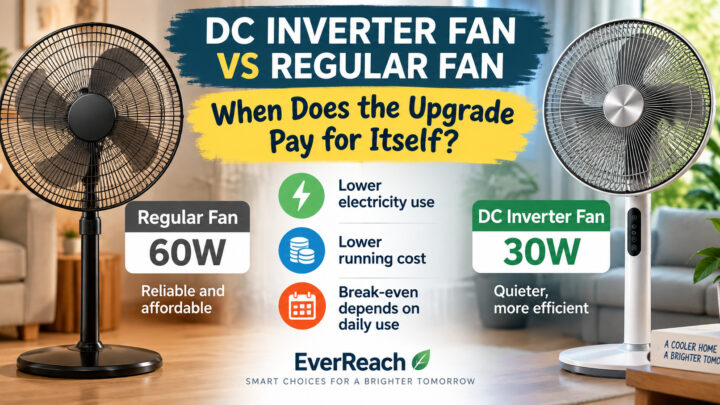
For larger stand fans, see our DC Inverter Fan vs Regular Fan comparison.
If you are considering a power station instead, our Power Station Runtime Guide explains how to estimate hours from watt-hours and load.
A simple rechargeable-fan buying checklist
- Decide how many hours you really need.
- Decide what fan speed you normally use.
- Find the runtime at that speed—not only the maximum runtime.
- Check whether oscillation was on or off during the runtime test.
- Compare usable airflow, not just battery size.
- Look for battery capacity in Wh when available.
- Check recharge time and charging input.
- Verify USB-C / power-bank requirements.
- Check whether it can operate while externally powered.
- Check local battery-service and warranty support.
Frequently Asked Questions
Why does my rechargeable fan last much less than the advertised runtime?
The advertised maximum may have been measured at the lowest fan speed with oscillation and other functions switched off. Higher airflow requires more power, so runtime can fall sharply at medium or maximum speed.
Is a bigger mAh battery always better?
Not necessarily. mAh cannot be compared accurately without knowing battery voltage. Watt-hours (Wh) are more useful for comparing stored energy. Airflow efficiency and fan power consumption also determine how long the battery lasts.
How many hours should a rechargeable fan last overnight?
If you need the fan for an eight-hour sleeping period, look for a manufacturer-tested runtime of at least eight hours at a speed you find comfortable. Do not rely only on a much longer low-speed “maximum” figure.
Can I run a rechargeable fan from a power bank?
Some models can, but compatibility varies. Check the fan’s required voltage, wattage and charging protocol. A USB-C connector alone does not guarantee that every power bank can run the fan at full performance.
Is oscillation worth using during a brownout?
It depends on whether several people need airflow. Oscillation consumes additional power, so fixed-direction use can extend battery life when runtime matters more than room-wide coverage.
Should I buy a rechargeable fan if I already own a power station?
Not necessarily. An efficient regular fan powered by your existing station may already meet your needs. A rechargeable fan still adds convenience because it has its own battery and can be moved without taking the power station with it.
The EverReach Bottom Line
The best rechargeable fan is not automatically the one with the biggest battery number or the longest headline runtime.
The useful question is:
How many hours will this fan run at the speed I actually need?
For a brownout fan, compare:
- runtime by speed;
- usable airflow;
- oscillation impact;
- battery energy;
- charging speed and compatibility; and
- battery serviceability.
A fan that can genuinely keep you comfortable for eight hours is more useful than one advertising 30 hours at a speed you would never use.
Buy the airflow you need for the hours you need it.
Sources and Further Reading
- Xiaomi: Mi Smart Standing Fan Pro — manufacturer example showing 33-hour maximum runtime at speed 1 without oscillation and 2.3-hour runtime at speed 4 with oscillation.
- Xiaomi Philippines: Rechargeable Mini Fan FAQ — manufacturer runtime example of 18.5 hours at speed setting 1.
- Xiaomi: Mijia Smart Standing Fan Pro Slim — manufacturer guidance for powering the fan from compatible QC/PD power banks and example 22-hour level-1 runtime.
- Xiaomi: Smart Desktop Air Circulation Fan — airflow, noise, Type-C power and level-1 runtime test disclosures.
- Panasonic Philippines: Rechargeable Battery FAQ — explanation of mAh as battery capacity and why actual operating time varies by device and conditions.
- EverReach: USB-C Compatibility Guide.
- EverReach: DC Inverter Fan vs Regular Fan.
- EverReach: Power Station Runtime Guide.
Editorial disclosure: EverReach may earn a commission from qualifying purchases made through affiliate links, at no extra cost to you. Affiliate relationships do not determine our conclusions. Manufacturer examples in this article illustrate how runtime depends on speed and operating conditions; they are not EverReach product endorsements.
About the Author
Noah Evermore writes research-based buying guides for EverReach, focusing on technology, compatibility, practical value and the Philippine consumer context.
”’ path = Path(“/mnt/data/EverReach_A16_Rechargeable_Fan_Buying_Guide.html”) path.write_text(html, encoding=”utf-8″) print(f”Created {path} ({path.stat().st_size:,} bytes)”)